Some pages you open ten times a day: the payroll portal, a shared drive folder, the team's board. Each one sits at the end of a long address, a few clicks deep in the bookmarks. This guide gives them short names you can type.
Short answer. On the page, click Wyrd's icon and save a word such as payroll. From then on, type > payroll in the address bar and press Enter.
Which one to use
| Way | A word you choose opens the same page every time | The same word searches the site too | Built into Chrome |
|---|---|---|---|
| Wyrd keyword Recommended | Yes | Yes | No |
| Chrome's autocomplete | No | No | Yes |
Chrome's @bookmarks search | No | No | Yes |
Autocomplete follows your history, so what comes first changes from week to week, and @bookmarks gives you a list to pick from each time. Both are covered in Google's help: searching from the address bar and bookmarks. The rest of this guide is Wyrd's way.
Give the page a keyword
A keyword is a word you choose, saved with one address. It opens that page every time, whatever your history says.
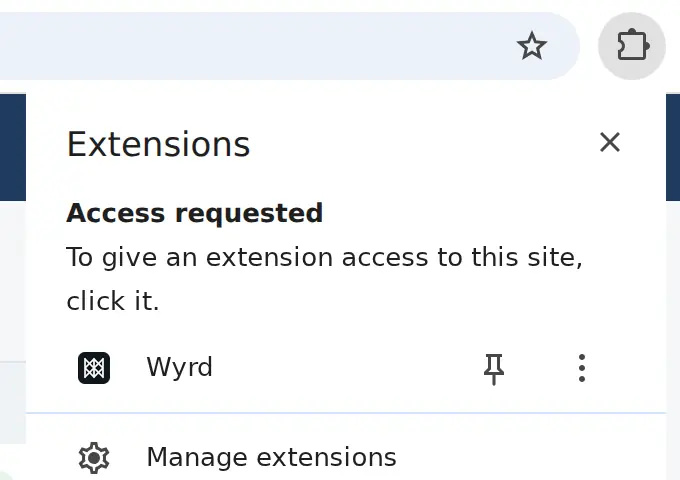
- Pin Wyrd: click the Extensions icon (the puzzle piece) at the top right of Chrome, and the pin next to Wyrd.
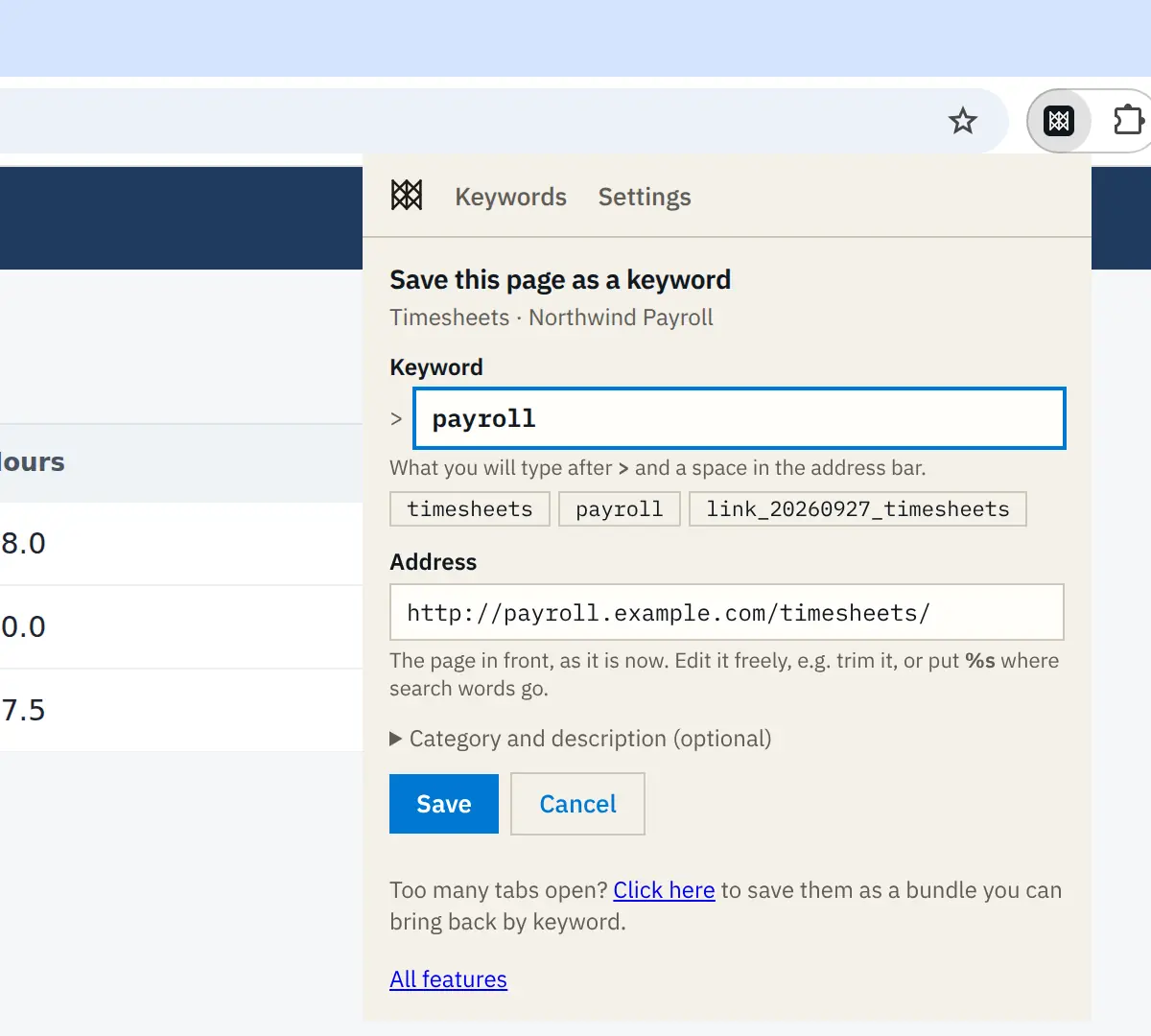
- Open the page you want a shortcut for and click Wyrd's icon. Under Save this page as a keyword, the Address is already filled in and a few keywords are suggested.
- Pick a suggestion or type your own in Keyword, for example
payroll, and click Save. - From now on, click the address bar, type
>, press Space, typepayrolland press Enter.

Skip the > if you like
Make Wyrd your address bar's search engine, and payroll on its own opens the page. In Wyrd, Settings → Optional setup → Search without the > prefix walks you through it in about a minute; anything that is not a keyword still goes to your usual web search. See search without the prefix.
Choose keywords you will remember
- Short and obvious to you.
hr,wikiandboardbeat anything clever. - More than one name for a page. Save
paywith the address@payrolland both words work; see aliases. - See them all. Type
> /homefor your Keywords page, grouped by category. A keyword you mistype says so, lists the closest ones and offers to create it.
If it does not work
- Typing
>and a keyword runs a Google search. Check that Wyrd is installed and switched on inchrome://extensions, and that you pressed Space after the>. - Nothing happens in an Incognito window. Chrome runs extensions there only if you allow it: open
chrome://extensions, click Details under Wyrd and switch on Allow in Incognito. - The keyword opens the wrong page. Type
> /home, find the keyword and edit its address.
Next steps
- Turn a keyword into a search box for a site: search any website from the address bar.
- Everything a keyword can do, from aliases to fill-in-the-blank addresses: keyword syntax.